While using CC.Net the config file often has to be changed to add or remove projects or to add or remove reports. It can also be useful to keep the config file in a repository to track changes and to help get the server up and running again in case of failure. (Just last month a cruise box on my project left the team with a loud bang and a smoky smell.)
Because CruiseControl.Net can already:
- monitor a source control repository for changes
- update local files when there are changes in the repository
- detect when its configuration file has changed on disc
it's possible to configure CC.Net to automatically update its own configuration file whenever someone commits changes. Here's how:
Step 1: Get your configuration file under source control
At minimum this involves checking the file in. But there are cleaner and less clean ways to do this. Rather than checking the entire CruiseControl.Net folder in, I like to have a config folder underneath the main program folder that only has the config file in it.
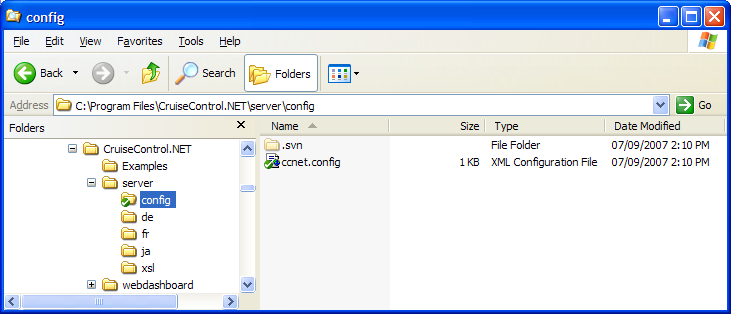
This is not the default location for ccnet's config file, so it needs to be told to look in a different place as well. If you are using CC.Net as a service, then the "ccnet.config" key can be added to the <appSettings> section in ccservice.exe.config to point to the new configuration file, as shown in the next code block. If you are running CC.Net in a console, using ccnet.exe.config, then you can pass the new path as a command-line parameter in the form "-config:config\ccnet.config". The path can be relative to the exe or an absolute path. More information about moving the configuration file is available on the Server Application Config File page.
<configuration>
    ...
    <appSettings>
        <!-- Without this appSetting ccservice will look for ccnet.config in its own directory. -->
        <add key="ccnet.config" value="config\ccnet.config" />
        ...
    </appSettings>
    ...
</configuration>
Step 2: Add a CruiseControl.Net project to update the config file
At this point, someone could manually update the working copy on the cruise box when changes to the config are committed. But, we can have ccnet itself automatically perform this step by adding a project to ccnet. This project will check for changes to the configuration file in the source control repository and update it on disc. We only need a trigger block and a source control block. For the example worked above, this project would look like:
<project name="cc-config">
    <triggers>
        <intervalTrigger seconds="30" />
    </triggers>
    <sourcecontrol type="svn">
        <trunkUrl>file:///c:/Repo/sandbox/config</trunkUrl>
        <workingDirectory>C:\Program Files\CruiseControl.NET\server\config</workingDirectory>
    </sourcecontrol>
</project>
Now, when someone commits changes, the next time the cc-config project runs it will pull the changes on to the local disc. CruiseControl.Net will notice the changes and reload the configuration file. If you have the console visible you should see lines similar to the following:

If you can't see the console, perhaps because you are running CruiseControl.Net as a service, then the lines above should appear in your logs instead.

